
You end your day from the phone: review the day's figures, count the drawer on a drawered till, then close. Closing sends the day's numbers to the day's closing record and frees your login for a colleague.
Before you can close
The app checks first, and names the reason if it blocks:
- Parked sales are waiting. If a parked sale would be lost by your close, the app refuses and tells you to settle or void it at the till first.
- Sales are still held on the phone. If a sale taken during an outage has not been sent yet, send it before you close. The day's figures cannot be completed while money is unposted.
- Closing may need a manager. In some stores an associate counts the drawer but a manager completes the close. Where that applies, the app says so rather than letting the close fail without a reason.
Closing a drawerless day
There is nothing to hand-count. The card takings were captured at the terminal and the cash went to a register.
- Open the close and review the day's figures.
- Add a closing note if you want to.
- Close. The totals go to the closing record, which is marked as system-counted so the back office can tell a counted day from an auto-reconciled one.
Closing a drawered day
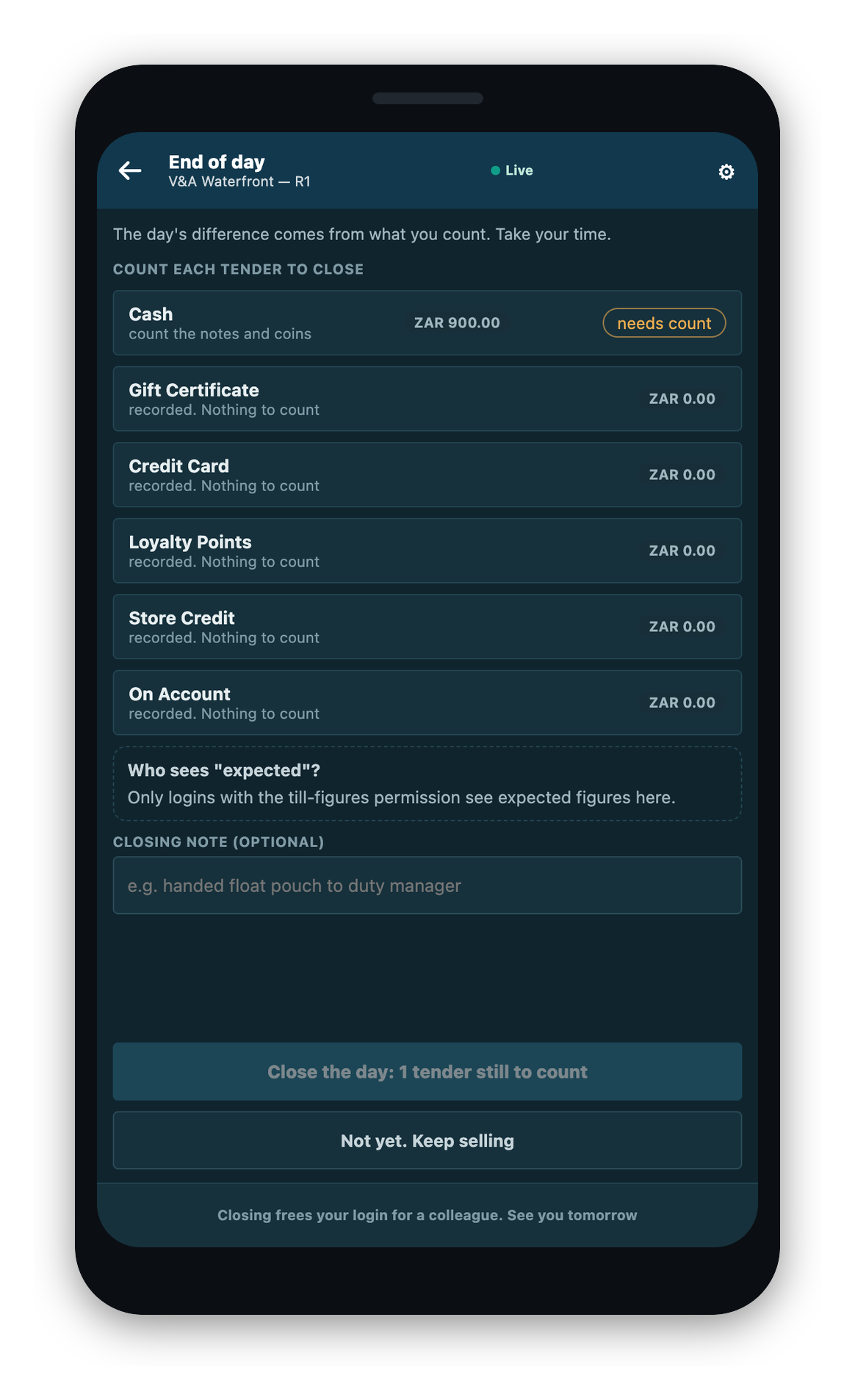
On a drawered till you count each tender before you close.
- Open the close. The store's system builds the day's closing draft and hands you one count sheet per payment type.
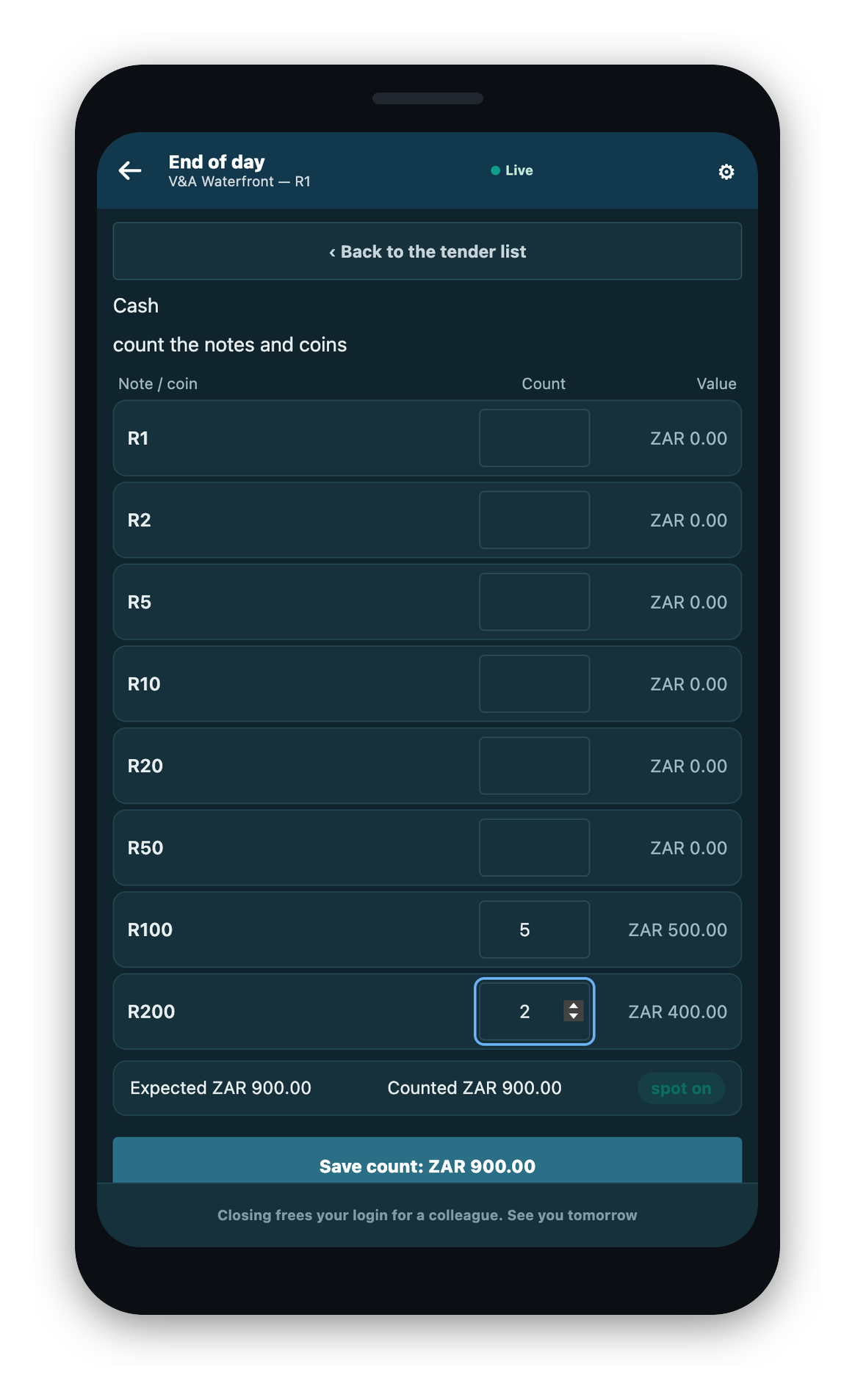
- Count each tender and save it. Each tender is counted in the shape your store set up for it. That may be notes and coins, a typed total, a tick for each payment, or a count recorded automatically. Saved counts are kept, so stepping away does not lose a part-finished count.
- Close. Your store's counting rules run. A tender that must be counted but is left blank, or a difference past what your store allows, is refused by name.
A till that took more than one currency closes each tender in the currency it was taken in.
Blind counting
Where your store counts blind, the expected figure is not shown to you on the counting screens at all: not before, during, or after the count. You type what you counted, and the store's system checks it. This keeps the count honest. A summary paper your store chooses to print may still show the expected figure, because by then the count is already recorded.
Count the drawer down before the next float is counted in. Nothing in the software empties or resets a physical drawer, so a new float counted onto a drawer that still has your cash in it would be wrong.
The day's papers
After the close, the app offers the day's papers: the shift count sheet and the shift summary together, just the summary, or skip. Each prints on the layout your store configured. If a paper's layout is not set, that paper is refused by name and the other still prints, so a missing layout never traps a day that is already closed. A store that turns prints off is not asked.
The X report is a separate print taken during the day from the mid-shift read, not part of this after-close prompt. See Cash and the Drawer.
What closing does
- The day's numbers go to the day's closing record.
- Your closing note travels with them.
- Your login is freed for a colleague. Closing the day is the only thing that frees it.
On a very large day, the totals may finish in the background. The app tells you when that happens, and the day is still closed.