Overview
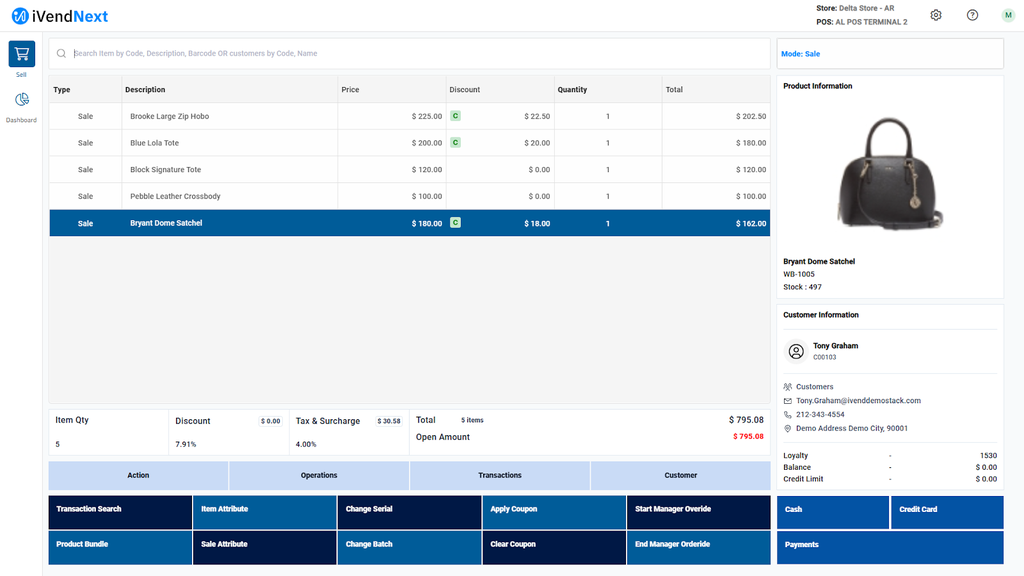
Coupons are codes that customers can enter during checkout to apply a discount. Each coupon follows rules that determine its validity, usage limits, and discount type. When a code is entered, the system validates these rules and applies the discount automatically.
Creating a Coupon
Follow these steps to create a coupon in iVendNext.
Step 1: Access the Coupon Screen
-
Log in to iVendNext.
-
Go to Home > Retail.
-
Click the Coupons shortcut.
Tip: Use the Awesome Bar (top-right) to search for “Coupon List,” “New Coupon,” or “Coupon Report.”
Step 2: Open the Coupon Creation Screen
-
If you are creating your first coupon, click Create Your First Coupon.
-
Otherwise, click Add Coupon.
The Coupon Creation screen includes the following sections:
-
Details
-
Coupon Setup
-
Applicability
-
Exclusion List
Step 3: Configure the Details Section
Define the key settings. Complete all required fields (marked with a red asterisk).
| Field | Description | Mandatory |
| Name | Unique name for the coupon (up to 20 characters). | Yes |
| Description | Description of the coupon (up to 50 characters). | Yes |
| Has Effective Date | Enable to set start and end dates for coupon validity. | No |
| Has Effective Time | Enable to restrict coupons to specific times of day. | No |
| Coupon Code | Code customers enter to redeem the coupon. | Yes |
| Discount Type | Percentage or fixed amount. | Yes |
| Discount | Discount value. | Yes |
| Applicable Quantity | The number of item(s) to which the coupon discount can apply. | No |
| Trigger Quantity | The number of item(s) that must meet the specific criteria for the coupon to apply. | No |
| Maximum Redemption Count Per Store | The maximum number of times the coupon can be redeemed at the store. | No |
| Active | Enable to activate the coupon. | Yes |
Step 4: Configure the Coupon Setup Section
Define which products the coupon applies to.
| Field | Description | Mandatory |
| No | System-generated line number. | – |
| Product Type | Level at which the coupon applies (e.g., item, group, category). | Yes |
| Value | Specific product, group, or category based on the Product Type. | Yes |
You can add multiple entries to include different products.
Step 5: Configure the Applicability Section
Define where and to whom the coupon applies.
| Field | Description | Mandatory |
| No | System-generated line number. | – |
| Source Type | Where the coupon is valid (e.g., store, customer, customer group). | Yes |
| Source | Specific store, customer, or group selected from the Source Type. | Yes |
Step 6: Set Day and Time Restrictions
Optionally, restrict coupon availability to specific days and times.
| Field | Description | Mandatory |
| No | System-generated line number. | – |
| Day | Day of the week the coupon is valid. | Yes |
| Enabled | Enable or disable the coupon for the selected day. | Yes |
| Start Time | Time when the coupon becomes valid on the selected day. | No |
| End Time | Time when the coupon expires on the selected day. | No |
Step 7: Configure the Exclusion List Section
Define where the coupon should not apply.
| Field | Description | Mandatory |
| No | System-generated line number. | – |
| Source Type | What to exclude (e.g., store, customer, customer group). | Yes |
| Source | Specific store, customer, or group to exclude. | Yes |
Step 8: Save the Coupon
Click Save to activate the coupon with the defined rules.
Example Coupon Setup
Scenario:
Let us consider the below scenario:
There are 2 Stores -
The Alpha Store and The Delta Store
Offer 10% off on all Shirts every day from 09:00 AM to 09:00 PM, excluding the Delta store.
Details Section:
-
Name: Festival Coupon
-
Description: 10% off on Women Bags
-
Has Effective Date: Yes (Start: 2025-10-01, End: 2025-10-15)
-
Has Effective Time: Yes (Start: 9:00, End: 18:00)
-
Coupon Code: FEST25
-
Discount Type: Percentage
-
Discount: 10
-
Applicable Quantity: 5
-
Trigger Quantity: 2
-
Maximum Redemption Count Per Store: 100
-
Active: Yes
Coupon Setup Section:
-
Product Type: Category
-
Value: Women Bags
Applicability Section:
-
Source Type: Store
-
Source: Alpha Store
-
Duration: Everyday
-
Enabled: Yes
-
Start Time: 09:00
-
End Time: 21:00
Exclusion List Section:
-
Source Type: Store
-
Source: Delta Store
Result:
The coupon is valid everyday between 9:00 AM – 9:00 PM, applies to Shirts, has quantity limits, and excludes the Downtown store.