
Remove Line Breaks in Print Formats
Question:
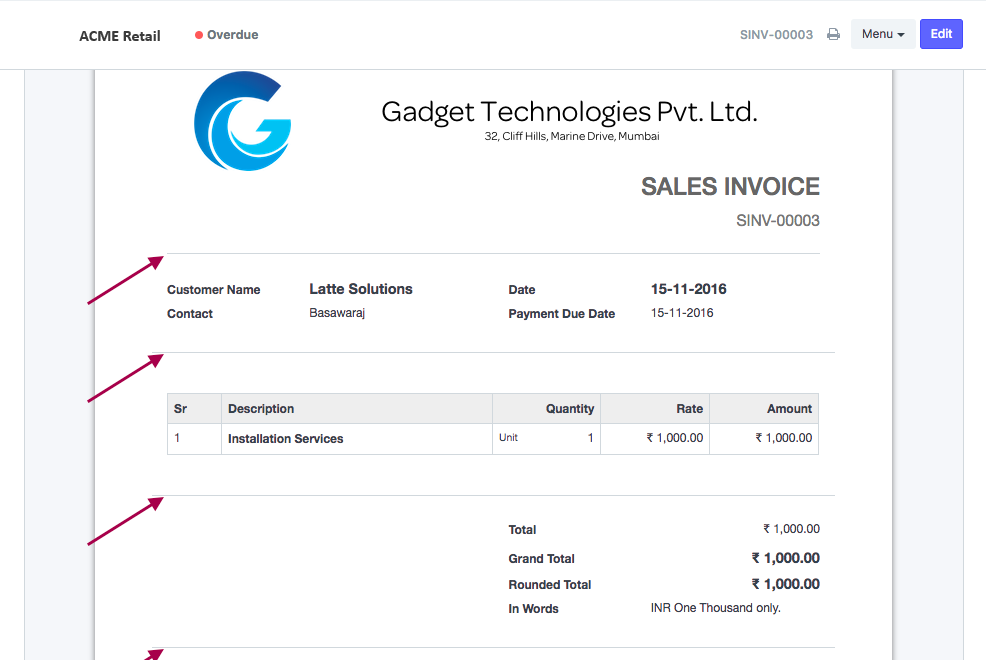
In the Print Format, I am getting link breaks for each section. How can I disable it?
Answer:
To disable line breaks for the section breaks, you should uncheck field "Show Line Breaks after Sections" in its Print Format.
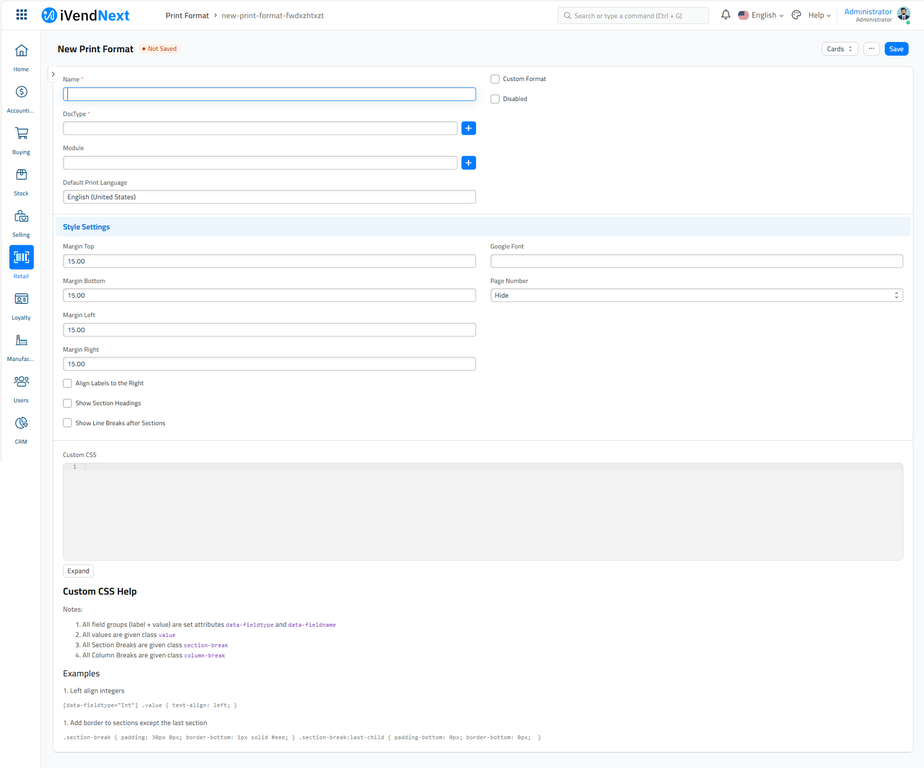
Print Format Builder > Select Print Format > Edit Settings > Uncheck field "Show Line Breaks after Sections"
Related Topics
Last updated 4 months ago
Was this helpful?