
Find Your Gift Card Number
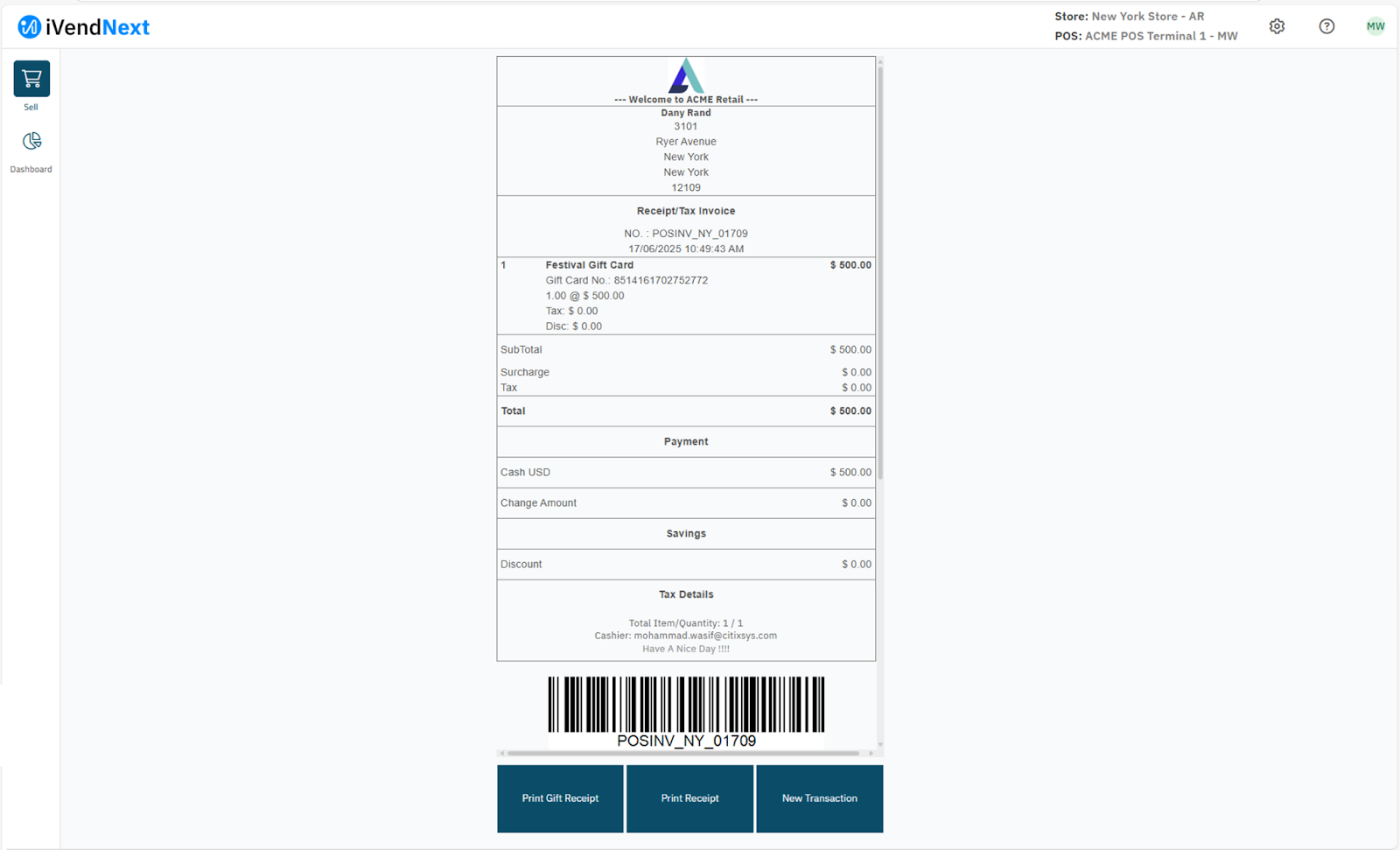
A gift card is a prepaid amount a customer can spend at your stores. The till sells a gift card like any other item, and the receipt shows the card's number. A gift card carries a specific amount of money that can be used at the Store to make purchases.
A gift card is either System Generated or User Defined. It pays for part or all of a sale at the till.
Every Gift Card issued in iVendNext carries a unique number and depending on the customer's preference, can either be redeemed partially or in full.
Finding the Gift Card Number
Every Gift Card issued in iVendNext carries a unique number also known as the Gift Card Serial Number. There are multiple ways to find the Gift Card Number of the Gift Card sold.
From the Transaction Receipt
The unique Gift Card Number is printed on the Transaction Receipt.
From the Gift Card list
- Search Desk for Gift Card and open the list.
- Find the card by its first name, its item, or the POS Invoice that sold it. The Serial Number is the card's number.
Open a card to see its record. It has the fields First Name, Item, Total, Balance, Gift Card Type, Cashback, Expired, Recharge and Allow Multiple Redemptions. The Reference tab shows the POS Invoice, its Posting Date, the POS Invoice Item and the Warehouse. Click the POS Invoice link to open the sale that sold the card.
From the Gift Card Journal
The Gift Card Journal, in the Gift Cards group of the Retail workspace, shows each card's number in the Gift Card Serial column. To follow one card, enter its number in the Serial Number filter. See Gift Card Journal.