
Change User Password
'Change Password' is used to change the password of any existing user.
Each iVendNext user can change the password for his/her iVendNext account. Also users with a System Manager role will be able to reset passwords for himself as well as for other users.
Steps to change user password
-
Go to User List
-
Open the user for whom the password needs to be changed
-
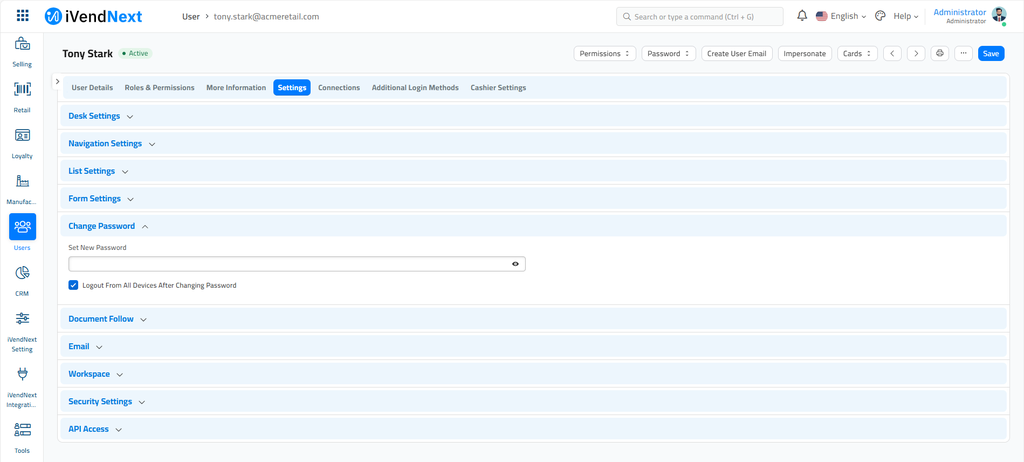
Go to 'Settings', and expand the section named 'Change Password'
-
Enter the new password and save the form
Based on the complexity of the password, the system indicates whether the entered password is Weak or Strong
Related Topics
Last updated 3 weeks ago
Was this helpful?