
Selling Tracked Items
Some items need extra detail before a sale can be charged: a weight, a serial number, a lot, or the parts of a set (called a Bundle in iVendNext Desk). What the item is set up as decides what the app asks for, and when it asks. This page covers each type.
When the app asks for the detail
Two types interrupt the moment you add the item. The rest add as a normal line, and are asked for at checkout. There, the app blocks before any payment screen, and takes you to the line that needs the detail.
| The item is | What happens when you add it | Where the detail is captured |
|---|---|---|
| Weighed | The scale screen opens instead of a plain line. | At the moment you add it. |
| A product family | The variant chooser opens. | At the moment you add it. See Scanning and Searching. |
| Serial-tracked | A normal line is added, not yet captured. | At checkout, or earlier from the line. |
| Lot-tracked | A normal line is added. Nothing is asked by default. | The store's system assigns the lot. You can choose it from the line, where that is offered. |
| A set | One line is added, not yet captured. | At checkout, or component by component from the line. |
You can always capture early: open the line and use its capture row before you reach checkout.
Weighed items
When you add a weighed item, the scale screen opens.
- Take the reading from the station's scale, or type the weight by hand where you have permission to.
- The field is labeled Net weight, plus the item's unit. Enter the net weight only.
- The weight becomes the quantity on the line.
Two things to know:
- There is no tare field. The container's weight is taken off at the scale before the app sees the reading. If you type the weight by hand, enter the net weight, after any container is accounted for.
- A zero or unstable reading is refused, so a bad weigh never becomes a line. Typing the weight by hand needs the manual-weight permission; without it, the scale is the only source.
Serial-tracked items
A serial-tracked item is sold one unit per line.
- Add the item. The line is added, not yet captured.
- Capture the serials at checkout, when the app blocks and asks for them, or earlier by opening the line and choosing Capture serial number.
- Enter one serial per unit. The store's system checks each serial as you enter it, and the same serial cannot be entered twice on the sale. You cannot attach the serials until every unit on the line has one.
- To sell more than one unit, scan the next unit. It adds the next line.
To correct a captured serial later, open the line and choose Change serial number.
Lot-tracked items
For a lot-tracked item, the store's system assigns the lot by default, so nothing is asked, at add or at checkout. This is correct for most sales.
If you need to choose the lot yourself, open the line and choose Choose lots. The chooser lists lots oldest stock first, with the expiry and the quantity on hand for each.
The Choose lots row is only offered on some lines. It appears when the line is sold in the item's own stock unit, and when you have a connection. It is not offered when:
- The line is sold in a pack or case unit. The same article scanned by its pack barcode carries no Choose lots row. In that case the store's system assigns the lots when the sale posts.
- The device is offline. The chooser reads the store's live lots, which need a connection.
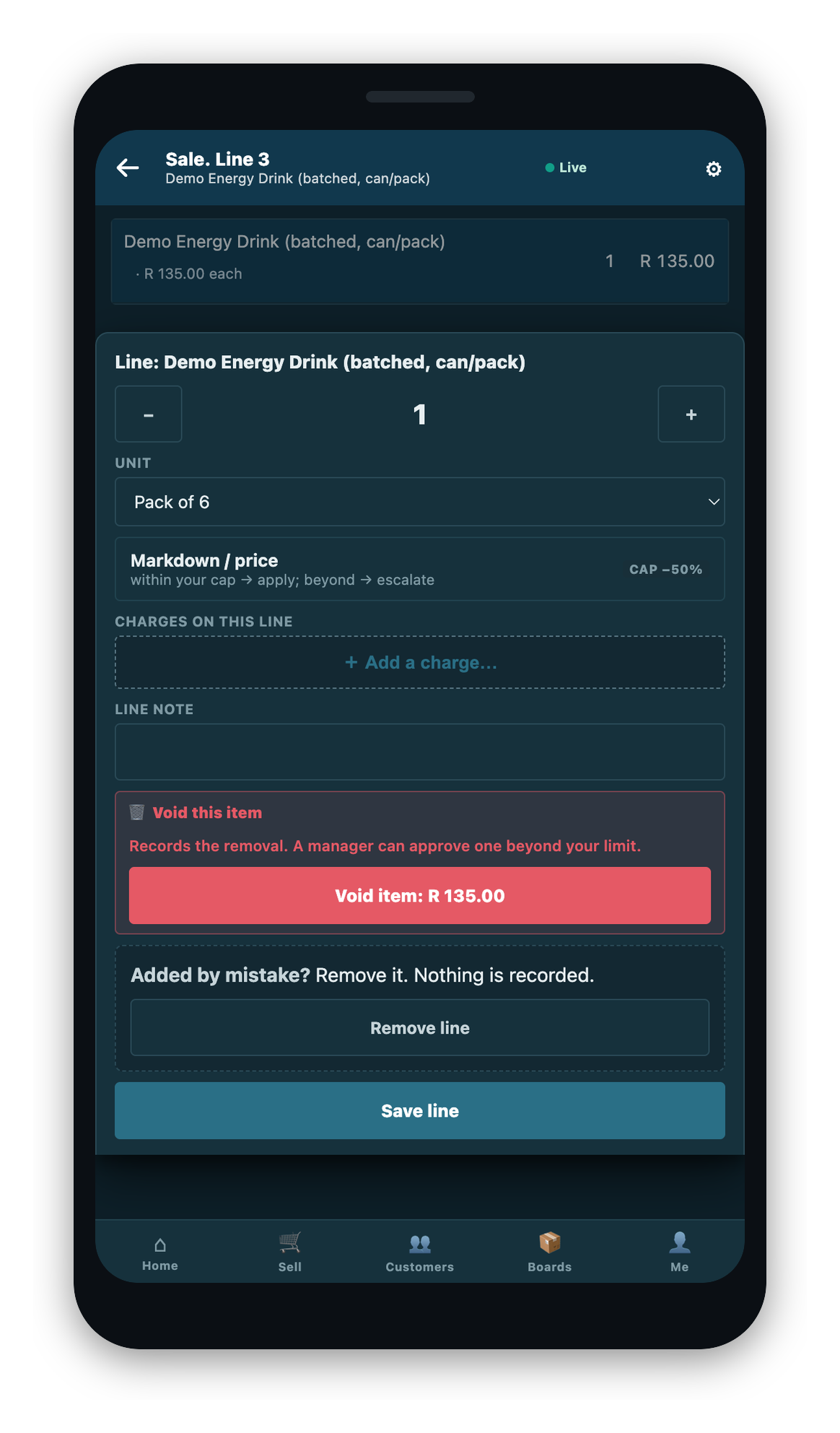
If you change a captured line's unit, any lot you chose is dropped, and the app tells you the lots will be assigned at checkout instead.
Sets
A set is one saleable thing made of several items. In iVendNext Desk this is called a Bundle; on the Mobile POS the screen calls it a set. It is sold as a single line.
- Add the set. It is added as one line, not yet captured.
- At checkout, the app walks its tracked components one at a time through the same capture screens as a standalone item, for example a serial for a component that is serial-tracked.
- The set is not chargeable until every component is captured.
A set sells one per line. To sell another of the same set, add it again. You can also capture or re-open a single component from the line.