
Returning Without a Receipt
A no-receipt return finds the original sale by the customer instead of a sale number, and it needs a higher permission or a manager's approval. There is still a real, settled sale behind it. "No receipt" changes only how you find the sale and what authority you need, never the need for a genuine original sale. Once you have the sale, the rest of the return follows Returning With a Receipt.
Prerequisites
- A settled sale in this store, belonging to the customer.
- The ordinary return permission, plus the higher no-receipt permission on your sign-in, or a manager's live approval.
- A register to settle the refund at. A no-receipt refund is never paid out on the phone.
Two separate permissions
Ordinary returns and no-receipt returns are deliberately two separate permissions. A store can allow receipted returns without allowing no-receipt ones. Without the higher permission, every no-receipt return needs a manager's approval.
Opening the no-receipt door
If you have the standing no-receipt right, the door opens and you go straight to the customer search. If you do not, the door is closed and offers you the way forward: a request for a manager's approval.
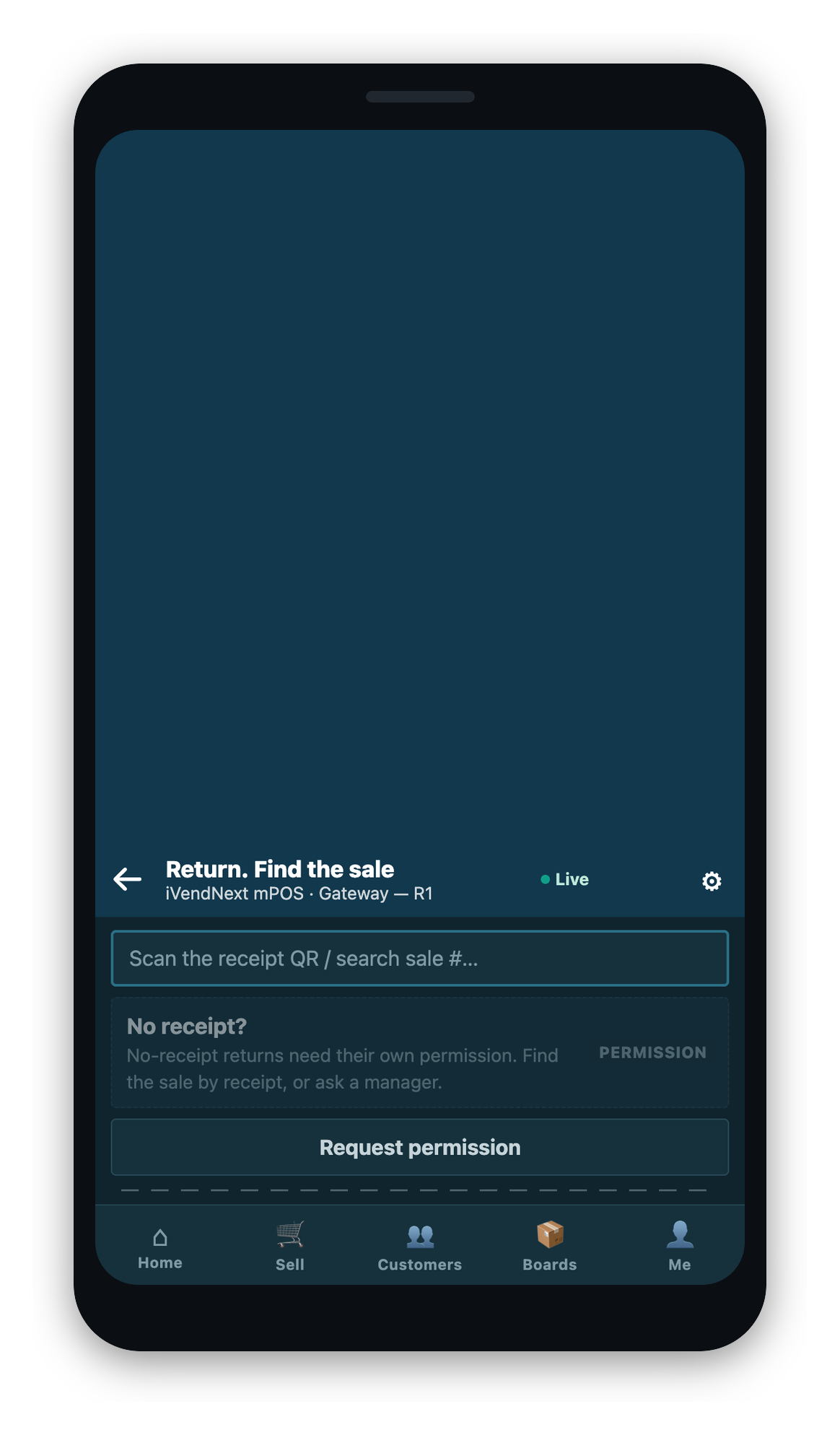
Raising a request for approval
- Select the request action on the closed door.
- Enter a reason. The approver reads it before deciding, so a request with no reason is refused.
- Send it. The request goes to your store's approvers, who see it on their own devices.
The request binds you, the outlet, and the customer it was raised for, and it expires if nobody acts on it. If you already have the standing right, the app refuses to raise a request at all, because there is nothing to approve.
How an approval is checked
An approval opens the no-receipt door only when it matches on every point. It must be granted to your sign-in, raised at this outlet, of the no-receipt type, and still unspent. An approval is single-use: once spent on a return, it will not open a second one, and an approval already attached to one open return cannot start another.
Finding the customer
With the door open, search the customer's own settled sales.
- Search by customer, by phone number, or by the last four digits of the card the customer paid with. The card digits are used only to find the sale. They do not decide where the refund is later paid back.
- Pick the customer. Their recent settled sales are listed, within a recent window.
- Open the right sale. From here, select the lines and quantities exactly as in Returning With a Receipt.
A no-receipt refund always goes to a register
However you found the sale, and whoever approved it, a no-receipt refund is never paid out on the phone. The return goes to a register to be settled from its drawer. The approval is spent onto that parked document at the moment you send it, which is what makes it auditable afterwards: the credit note carries the record of what the manager authorized.
What you might see, and what to do
If an approval does not open the door, the app names the reason. Each one has its own answer.
| What the app says | What it means | What to do |
|---|---|---|
| The no-receipt door is closed | You have ordinary return rights but not the no-receipt one, and no approval | Find the sale by receipt, or ask a manager |
| No approval found | The approval sent resolves to nothing | Raise a request |
| Wrong kind of approval | The approval is of another type | Raise a no-receipt request specifically |
| The approval belongs to another sign-in | Approvals bind to the person who asked | Request your own |
| The approval was raised at another outlet | Approvals bind to the store they were raised at | Request one at this outlet |
| The approval was already used | One approval, one return | Raise a new request |
| The approval has expired | Approvals are time-bounded | Request again |
| The approval was denied | The approver refused, and the reason is carried | Read the reason |
| Waiting on a decision | The request is raised but unanswered | Wait, or find the sale by receipt |
| The approval already covers another open return | An unspent approval is already on another open document | Finish that one first |
| You already have the standing right | You asked for an approval you do not need | Look the sale up directly |
Related Topics
- Returning With a Receipt: selecting lines, charges, and sending to a register
- Returns and Exchanges: the overview
- Exchanges