
Period Closing Voucher
A Period Closing Voucher indicates that the profit/loss for an accounting period has been balanced and the books can start fresh.
At the end of every year or (quarterly or maybe even monthly), after completing auditing, you can close your books of accounts. This means that you make all your special entries like:
-
Depreciation
-
Change in value of Assets
-
Defer taxes and liabilities
-
Update bad debts
Then book your Profit or Loss.
By doing this, your balance in your Income and Expense Accounts becomes zero. You start a new Fiscal Year (or period) with a balanced Balance Sheet and fresh Profit and Loss account. In iVendNext after making all the special entries via Journal Entry for the current fiscal year, you should set all your Income and Expense accounts to zero via a Period Closing Voucher.
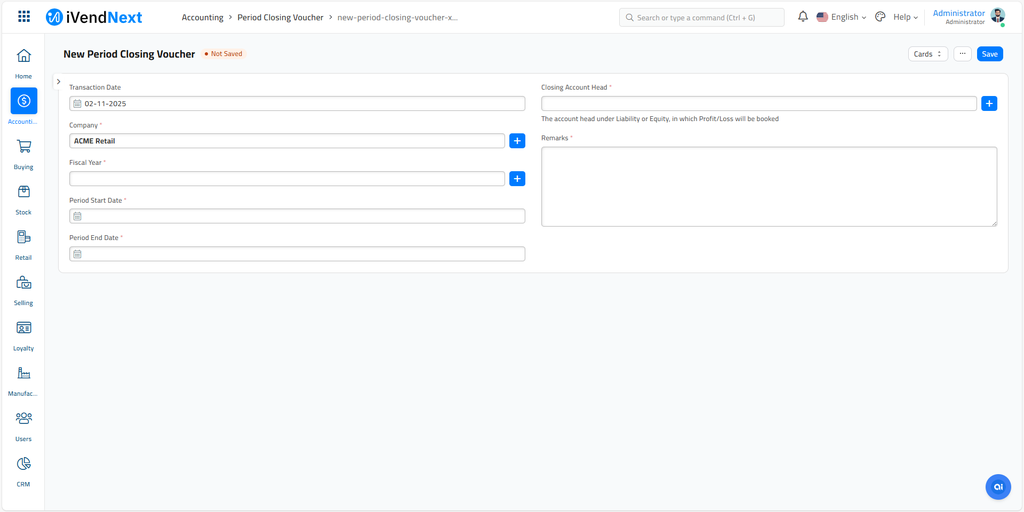
To access the Period Closing Voucher list, search for Period Closing Voucher in the search bar.
1. How to create a Period Closing Voucher
Go to the Period Closing Voucher list and click on New.
Select the Company and the Fiscal Year. The Period Start Date and Period End Date fill in from the year.
Close the earlier year first. When last year has entries and no submitted Period Closing Voucher, iVendNext shows "Previous Year is not closed, please close it first" as you save.
Select the Closing Account Head. This is usually your 'Reserves and Surplus' account. It must be a Liability or Equity account in the currency of the company.
Enter the Remarks. This field is required.
Save and Submit.
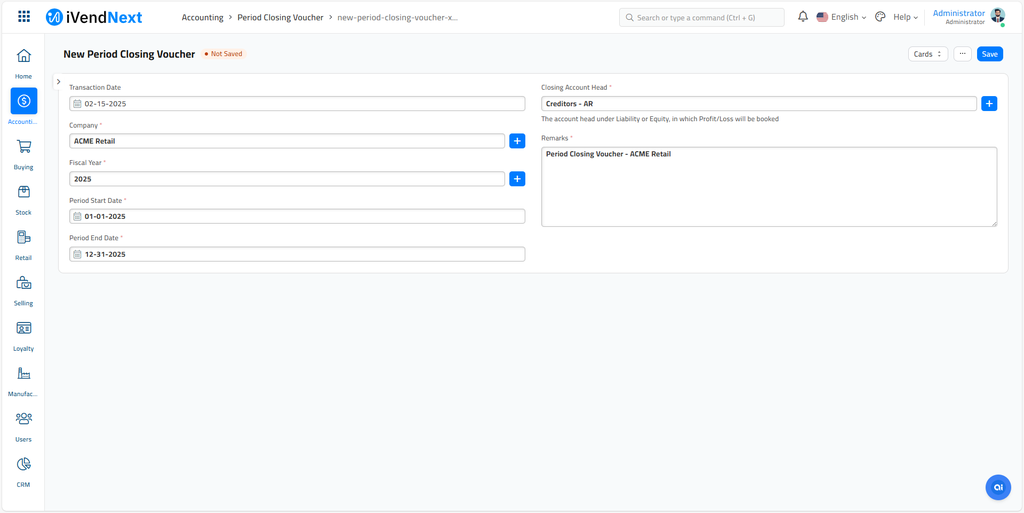
2. The fields explained
-
Transaction Date will be Period Closing Voucher's creation date.
-
Fiscal Year is the year for which you are closing your financial statement.
-
Period Start Date must be the first day of the year, or the day after the end of the last period you closed in that year.
-
Period End Date is the date the closing entries post. If your Fiscal Year ends on 31st December, select that date. It cannot be later than the end of the Fiscal Year.
-
Closing Account Head is the Liability or Equity account that receives the Profit or Loss.
3. What happens on submitting?
The Period Closing Voucher will make accounting entries (GL Entry). This will make all your Income and Expense Accounts zero and transfer Profit/Loss balance to the Closing Account.
You should select a liability account like Reserves and Surplus, or Any Revenue Reserve account or into Owners Capital account as Closing Account.
The net profit and loss is booked separately for each Cost Center, Finance Book, Project and Accounting Dimension used in the entries. You do not need to tick anything for this.
Note: Once a Period Closing Voucher is submitted, iVendNext does not accept new or changed accounting entries dated on or before its Period End Date. It shows "Books have been closed till the period ending on" the closing date, followed by "You cannot create/amend any accounting entries till this date." To post a late entry, cancel the voucher, post the entry, and then create a new Period Closing Voucher. You cannot cancel a voucher while a later one exists.