
Material consumption
Material Consumption functionality allows you to have multiple consumption ”Stock Entry” against a Work Order. To enable this, go to Manufacturing > Manufacturing Settings.
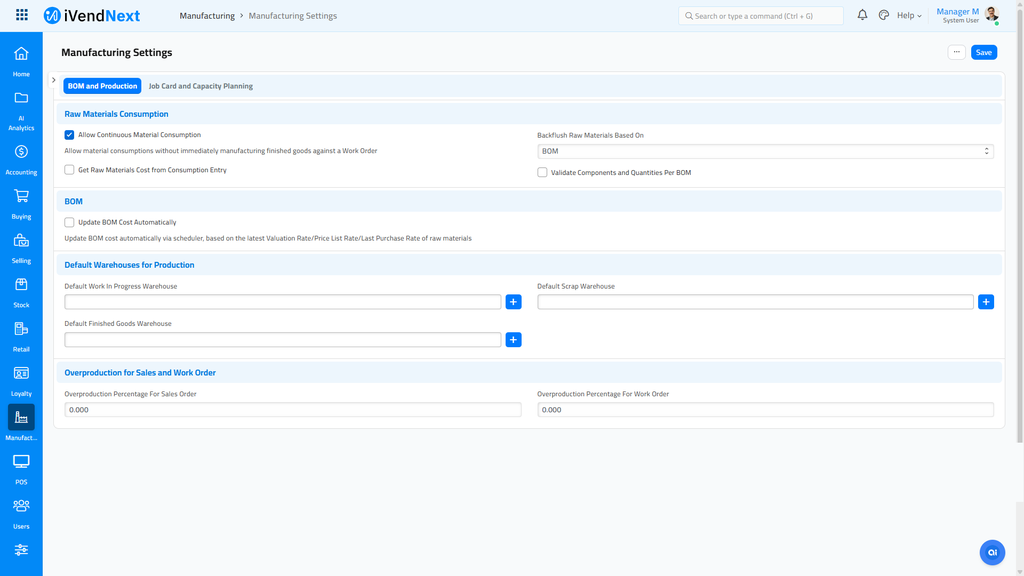
Once enabled, a Material Consumption button will be available in Work Order once started.
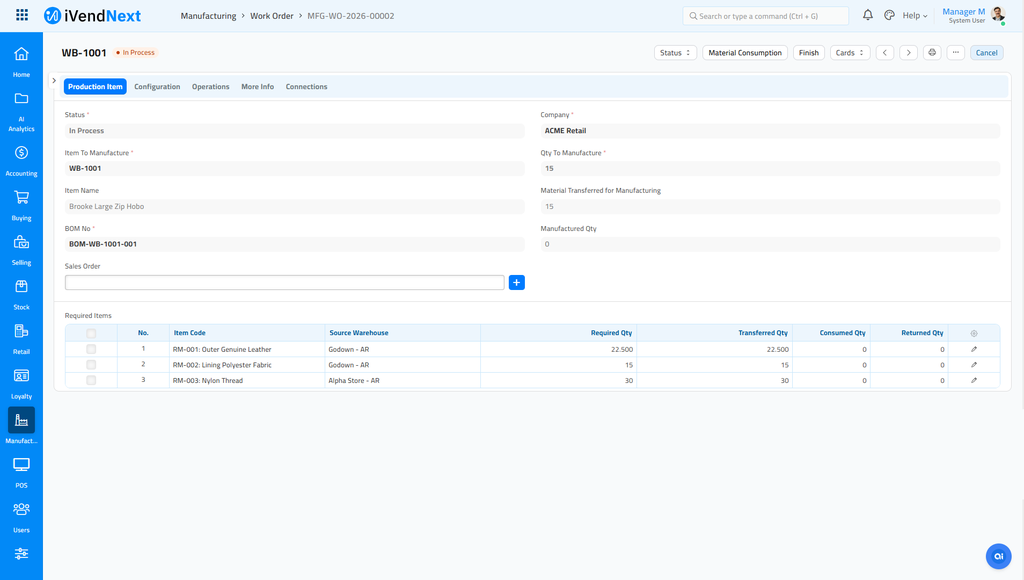
When button is clicked, it will do the following:
-
It will create Stock Entry with purpose Material Consumption for Manufacture.
-
If the "Backflush Raw Materials Based On" in the Manufacturing Settings is set to BOM, it will propose to consume all required qty for manufacture.
-
If the "Backflush Raw Materials Based On" in the Manufacturing Settings is set to Material Transferred for Manufacture, it will propose to consume all transferred qty for manufacture.
-
Once submitted, it will update the Consumed Qty column in the Work Order.
-
In succeeding Material Consumption, it will suggest unconsumed qty.
-
Once the "Finish" button is clicked in Work Order, it will take into account consumed qty.
Validations
-
If "Allow Multiple Material Consumption" is not set in Manufacturing Settings but "Material Consumption for Manufacture" is used in Stock Entry.
-
Cannot cancel "Material Consumption for Manufacture" for completed Work Order.