
Rename Buttons in Form View
In a submitted Sales Order, you can see multiple options under the 'Create' option:
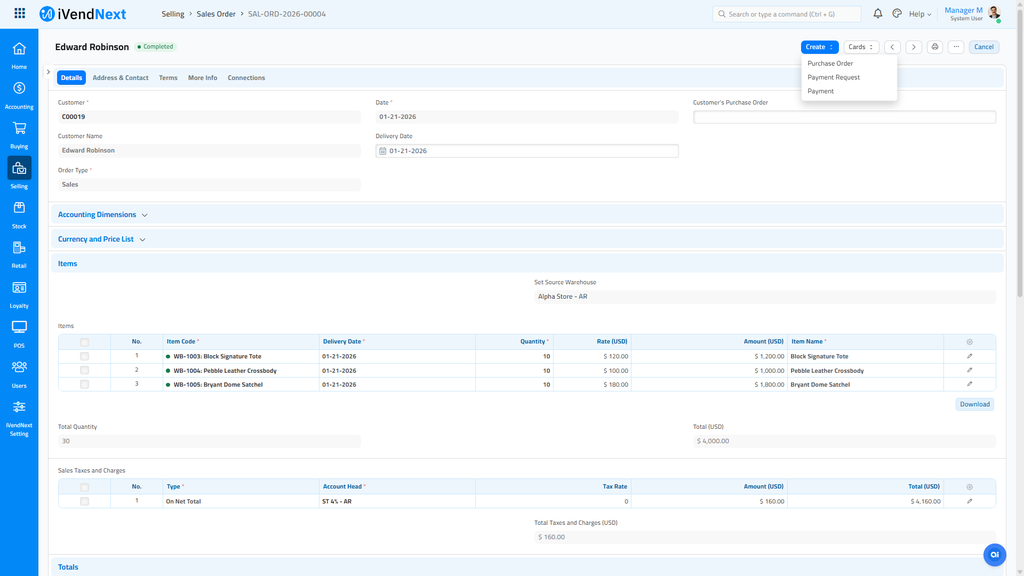
A developer can rename these buttons with a script. The developer adds the script in Desk's Client Script. Search Desk for Client Script, make a new one, and choose Sales Order as its DocType. See Client Scripts for how a Client Script is made and saved.
The script hides the buttons you do not want under Create. It then adds a new button with the name you choose, and that button does what the old one did.
Related Topics
Last updated 2 days ago
Was this helpful?