Discount Accounting
Discount Accounting is used to post additional ledger entries for discounts on sales, under a separate Discount Account. This can be done for:
-
Discounts applied on individual Items
-
Additional Discounts applied on all the Items in an invoice
Steps
Open Selling Settings and tick Enable Discount Accounting for Selling.
Create a Sales Invoice as usual.
To post ledger entries for discounts applied on individual Items:
-
Expand the row for that Item in the Items table
-
Enter discount in the Discount and Margin section
-
Scroll down to the Accounting Details section and enter the Discount Account
To post ledger entries for Additional Discounts applied on all the Items in an invoice:
-
Go to the Additional Discount Section
-
Enter the Additional Discount Amount/Percentage and the Additional Discount Account
Save and submit the invoice to create ledger entries.
This works on Sales Invoices.
Default Discount Account
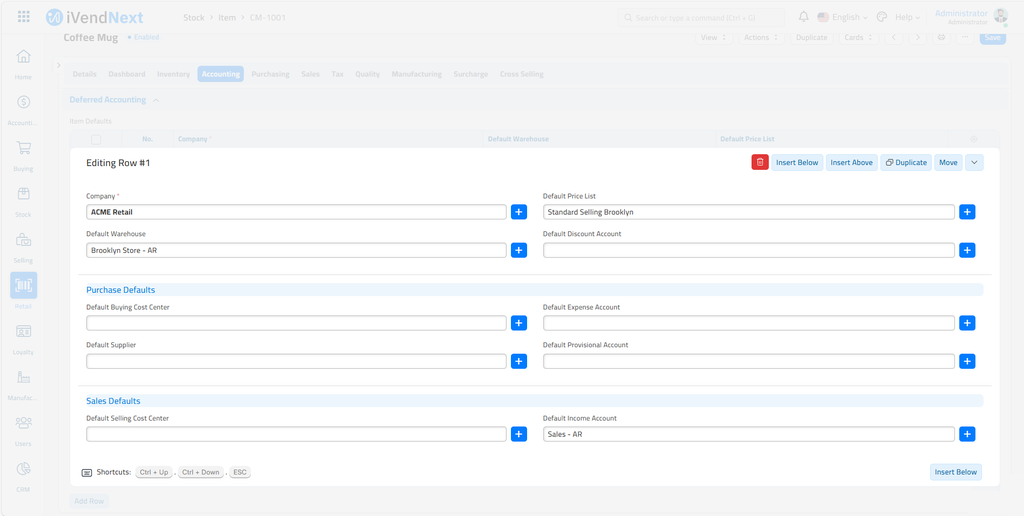
Additionally, you could enter a Default Discount Account for an Item, which will be fetched automatically while creating the Invoice.
Open the Item doc.
Go to the Item Defaults table.
Expand the row of your choice. In the Sales Defaults section, enter the Default Discount Account for the Item