
Selling When the Connection Drops
An Offline POS is a Mobile POS running in offline mode. It is the same app on the same phone. When the shop's internet drops, the phone keeps selling. When the connection comes back, the store's own system works the arithmetic again on every sale that was taken offline, and then posts it.
How it works
The phone never decides on its own what a sale is worth. It only records what happened: these items, this discount, this customer, and this much money taken. On the screen it shows a total marked as provisional. When the connection returns, the store's system rebuilds each sale from that record. It works out the figure itself and compares that figure to what the customer was charged. When the two match, the sale posts. When they differ at all, the sale waits for a person to review it.
Because of this, offline selling does not need a reconciliation afterward. A sale taken offline is either the same as it would have been online, or a manager looks at it. The reasoning behind this design is explained in the Working Offline Knowledge Article (coming soon).
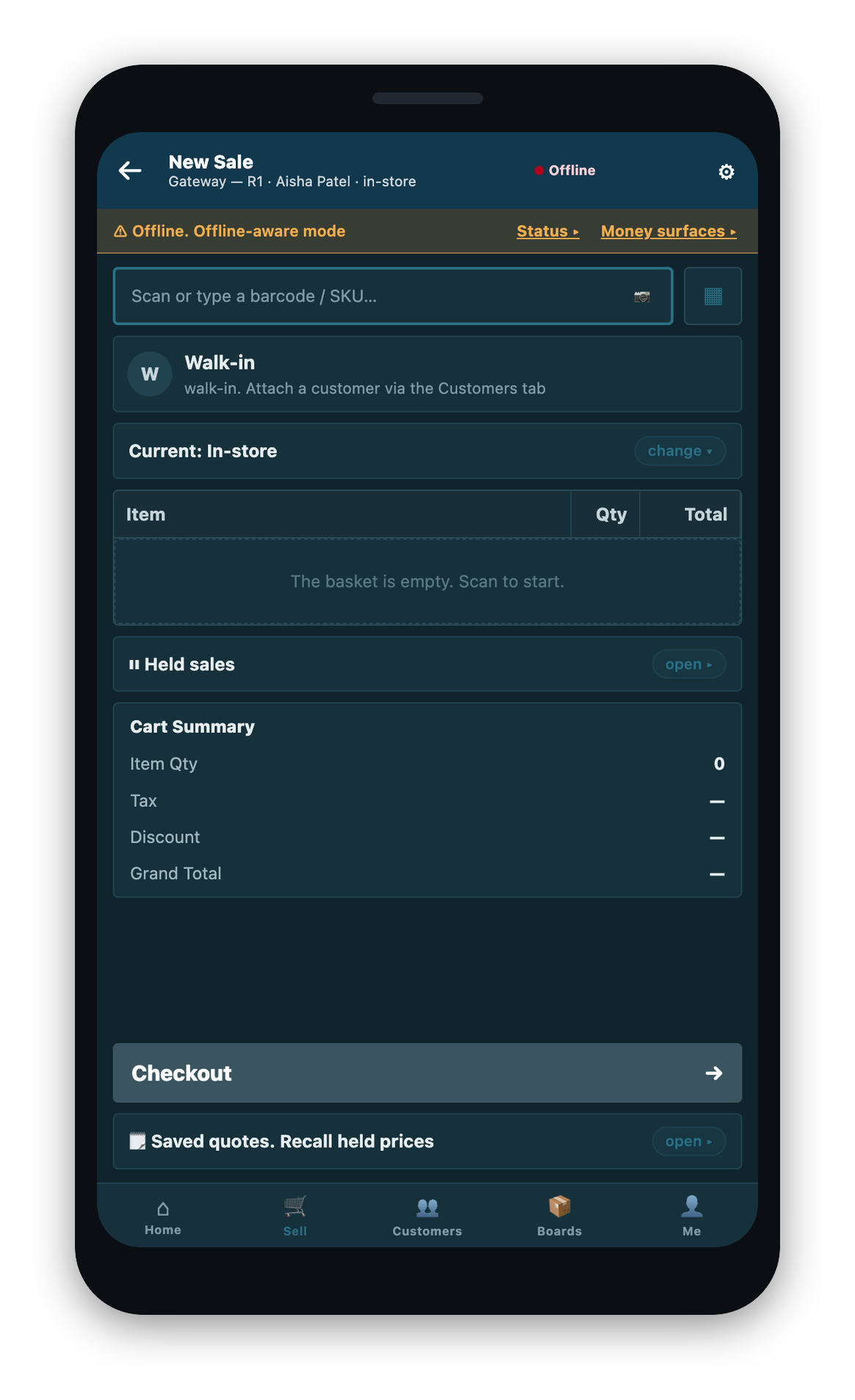
The phone notices that the connection has gone by watching its own traffic, not by trusting the browser. It tells the operator and shows an offline indicator. You can keep selling.
Getting the phone ready before an outage
While the phone still has a connection, it loads what it will need for when it does not: the products, their prices, the tax rules it must be able to reproduce, and a list of customers. It keeps them current in the background. This preparation is called arming.
You can check where a phone stands at any time on its readiness screen. It shows each step of the preparation, how the phone's storage is doing, and whether the operator has set the code they will need to unlock the till without a network.
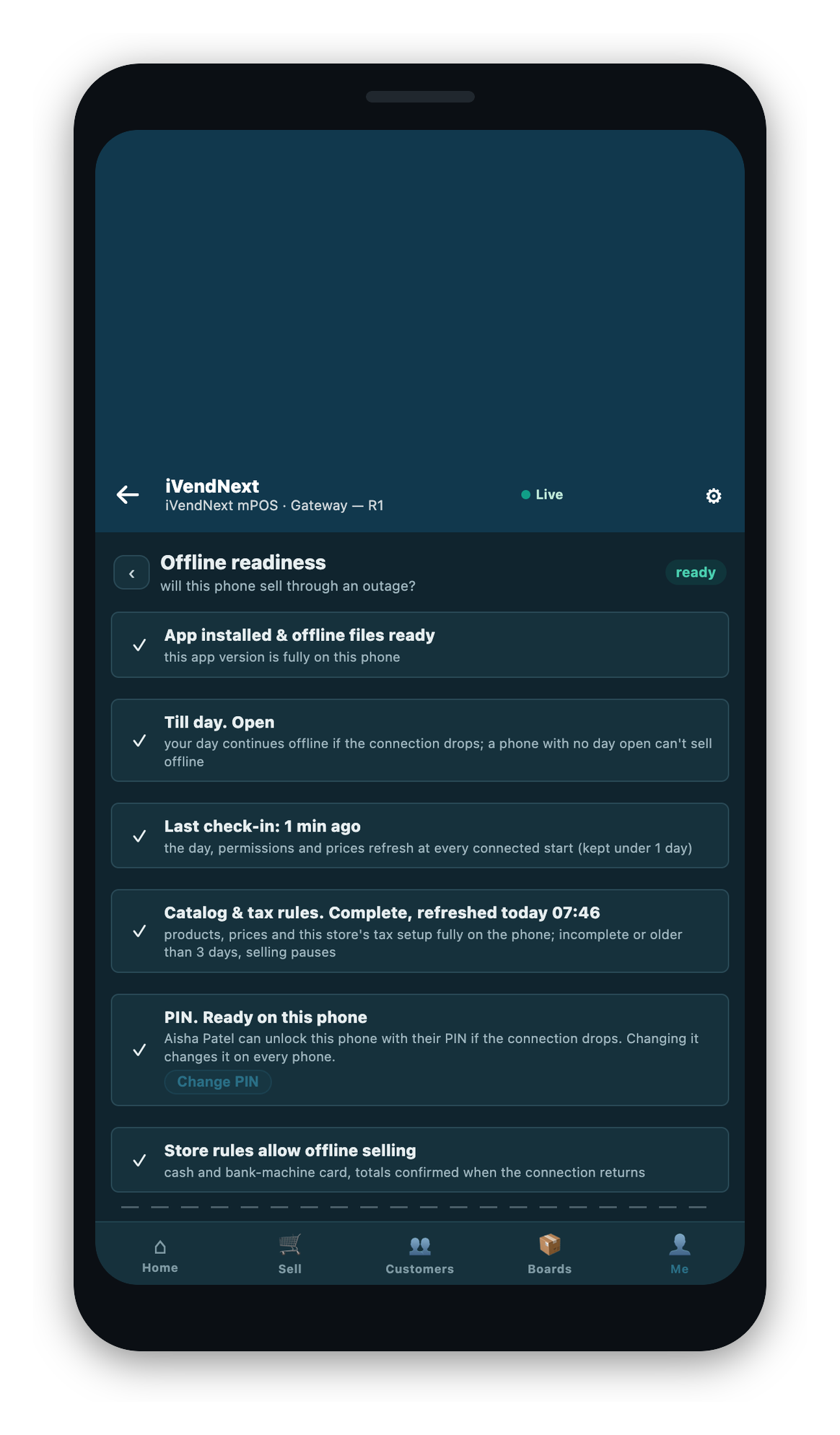
If the phone cannot reproduce a store's tax arithmetic exactly, that store does not arm and will not sell offline. A phone that cannot compute the tax correctly must not charge anyone.
What the phone needs to sell offline
The phone sells offline only when all of these are true. When one is not met, the app shows its own message for that condition rather than a general error.
- A recent connected check-in, inside the window the store allows.
- A trading day already open on the phone. Opening a day needs a connection, so the day must be open before the outage.
- An up-to-date product list on the phone, inside its staleness window.
- The operator still signed in and the device not revoked.
- Not a market whose tax rules require a receipt to be stamped by a fiscal authority while connected. In such a market offline selling stays off unless it is permitted for that market.
Who controls offline selling
Offline selling is on by default for the estate. It can be turned off for the whole estate, or for one till. An administrator also sets how old a phone's data may get before it stops selling, how far the phone's clock may drift, and which customers a phone may carry. These settings are covered in the implementation guide (coming soon).