
Retail Extensions · checked 2026-10-18
Connected apps is a report that lists every partner app on your site: who made it, its version, who accepted it, every outside address it may call and where it runs. This page shows how to open it and how to read each column. The report only reads. It changes nothing.
Opening the report
In Desk, search for Connected apps, or open it from the Retail Extensions card. On an app's record under Extension Packages, press Connected apps. Users with the System Manager or Retail Manager role can open it, and they all see the same apps.
Reading the report
Each row is one app. The report shows what your site recorded when the app was installed. When no record has a value, the column reads Not recorded at install, and the report never guesses.
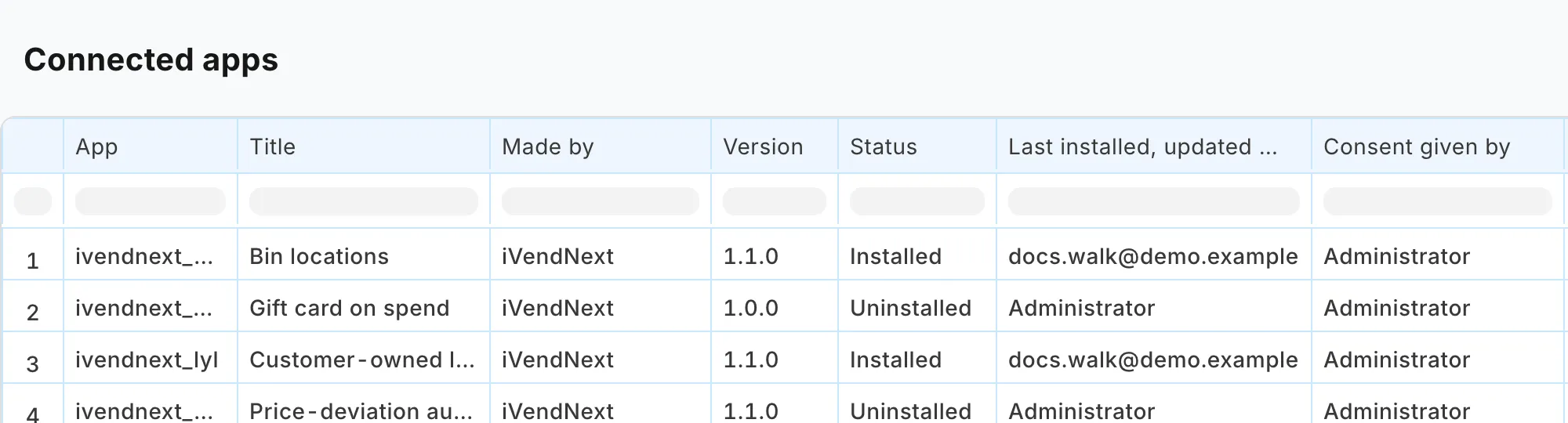
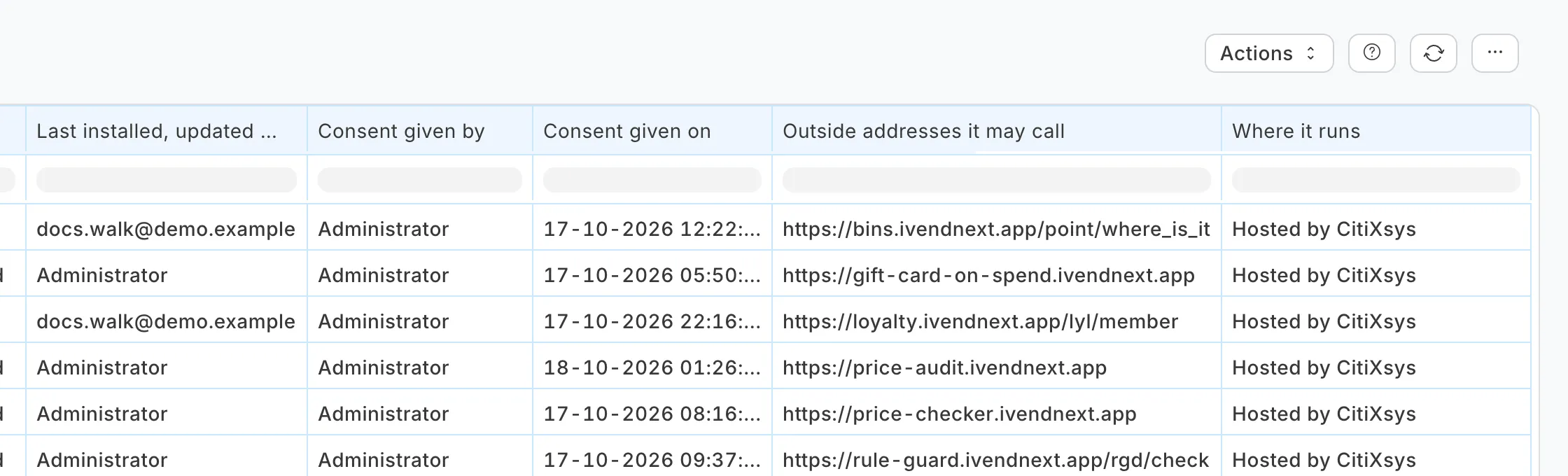
| Column | What it shows |
|---|---|
| App and Title | The app's name and its title. |
| Made by | The maker, as the app names itself. |
| Version and Status | The version, and its status, such as Installed. |
| Last installed, updated or removed by | The user who last ran an install, an update or a removal. |
| Consent given by and Consent given on | Who accepted what the app does, and when. |
| Outside addresses it may call | Every outside address the app may call, or None. |
| Where it runs | See below. |
An app that was removed or that failed stays in the report with its status, because an app that once had outside access is part of your record.
Where an app runs
| The column says | What it means |
|---|---|
| Runs inside this site | The app has no outside address. Everything it brought is inside your site. |
| Hosted by CitiXsys | Every outside address of the app is on the CitiXsys app hosting at ivendnext.app. |
| Outside this site: its address was not recorded at install | An outside application reads your shop through the app's event feed, and the app's file does not name its address. |
| The addresses | Any other outside address, shown as recorded. A CitiXsys address in the list is marked (hosted by CitiXsys). |
An app hosted by CitiXsys learns about your site after the install, and it is told when you remove the app. The app's record says what it answered: see Connect again on Installing and updating.