
Retail Extensions · checked 2026-10-18
A module is a small program from a partner that does one job in your shop, such as a check before payment. It is not an App or a Rule from the App library. This page covers how you add a module, what its fields mean and how you stop one. Only a System Manager adds modules.
What a module does
A module has one Extension point, which is the job it does. Today two jobs take a module: a check before payment, and a partner's price on a line after the promotions. See Turning on a service or a check for every job. It runs inside iVendNext, so it needs no outside address. Every module is a file from the partner and a certificate that our review team signs. Without a valid certificate, iVendNext refuses the module.
An extension subscription connects a module to its job. Choose the module in the subscription's Partner module field. A subscription lists only a module that is not withdrawn and has no end date.
Adding a module
- In Desk, search for Extension Modules and press Add. If the page says No extension point on this site takes a module yet., no job takes a module on your site, and you cannot add one.
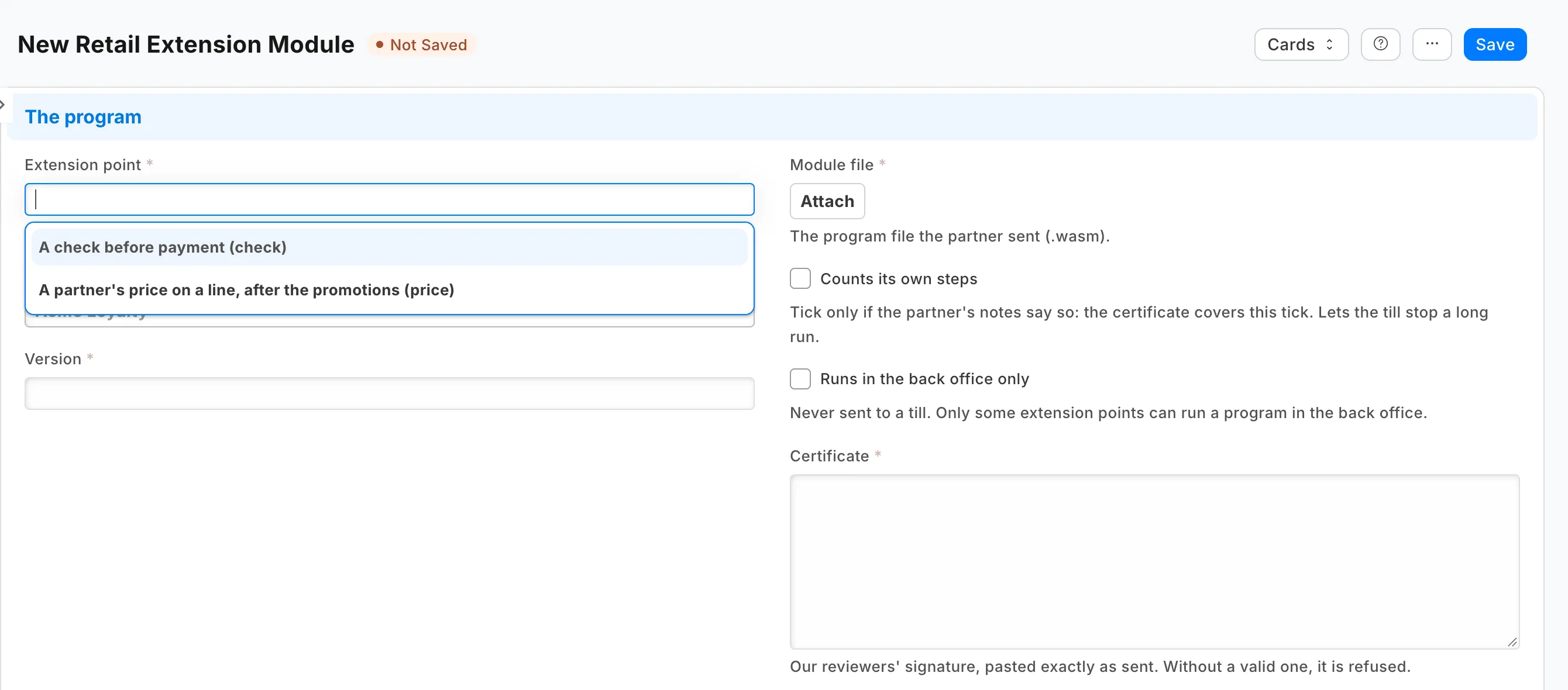
- Choose the Extension point, the Partner and the Version.
- Attach the Module file, the program file the partner sent. It has the ending .wasm.
- Paste the Certificate exactly as the partner sent it.
- Tick Counts its own steps only if the partner's notes say so. The certificate covers this tick. It lets the till stop a long run.
- Tick Runs in the back office only for a module that must never reach a till. Only some jobs can run a module in the back office.
- Save.
What iVendNext fills in
The record also shows the result of iVendNext's check: the Fingerprint, the Size in bytes and Built with. Built with is pp for Rust or javy for JavaScript. A JavaScript module runs in the back office only. The record also shows Active from and Active until. A newer version replaces an older one and sets its end date.
Stopping a module
Tick Withdrawn to stop the module at once. A withdrawn module cannot be used again. To use it again, add a new version.