
Retail Extensions · App · checked 2026-10-18
Use customer-owned loyalty to see who is in your program, what each member earned and where each member stands. Customers join and move between plans by themselves, so most days you only read. This page covers the records, the report and the Member key at the till.
Members
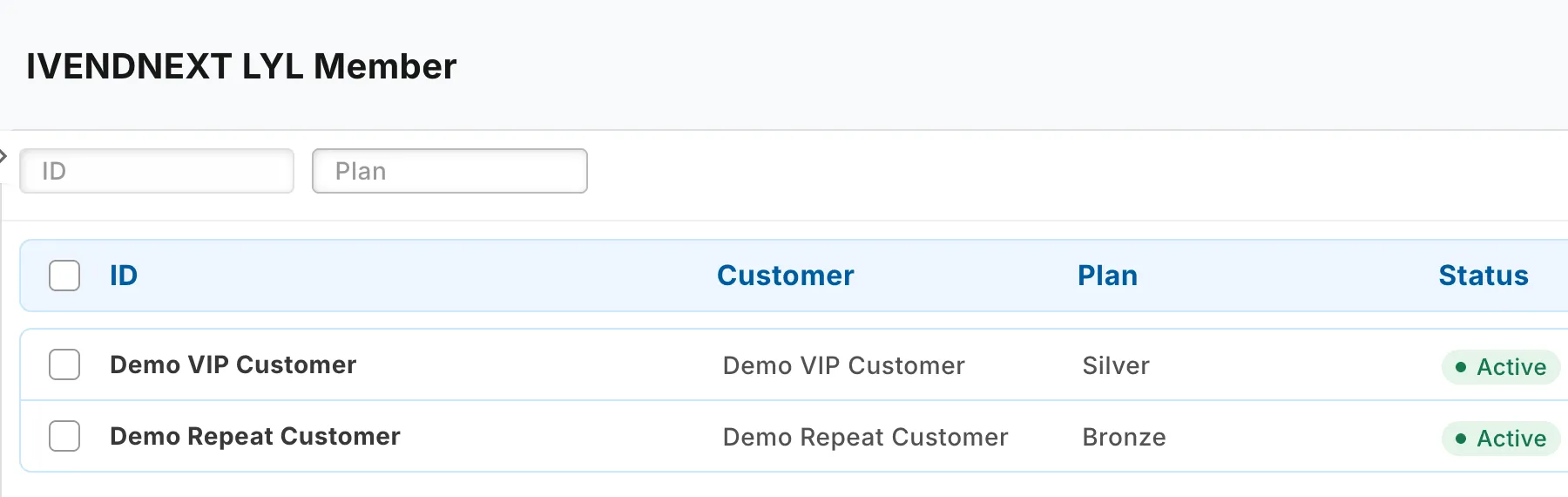
Search Desk for IVENDNEXT LYL Member. Each member shows the customer, their plan, their status and the day they joined. A System Manager can set a member's status to Inactive. Then the app stops moving that customer between plans. Put their customer group back by hand if you need to. An inactive member still earns cash back, and has no daily balance rows.
The ledger
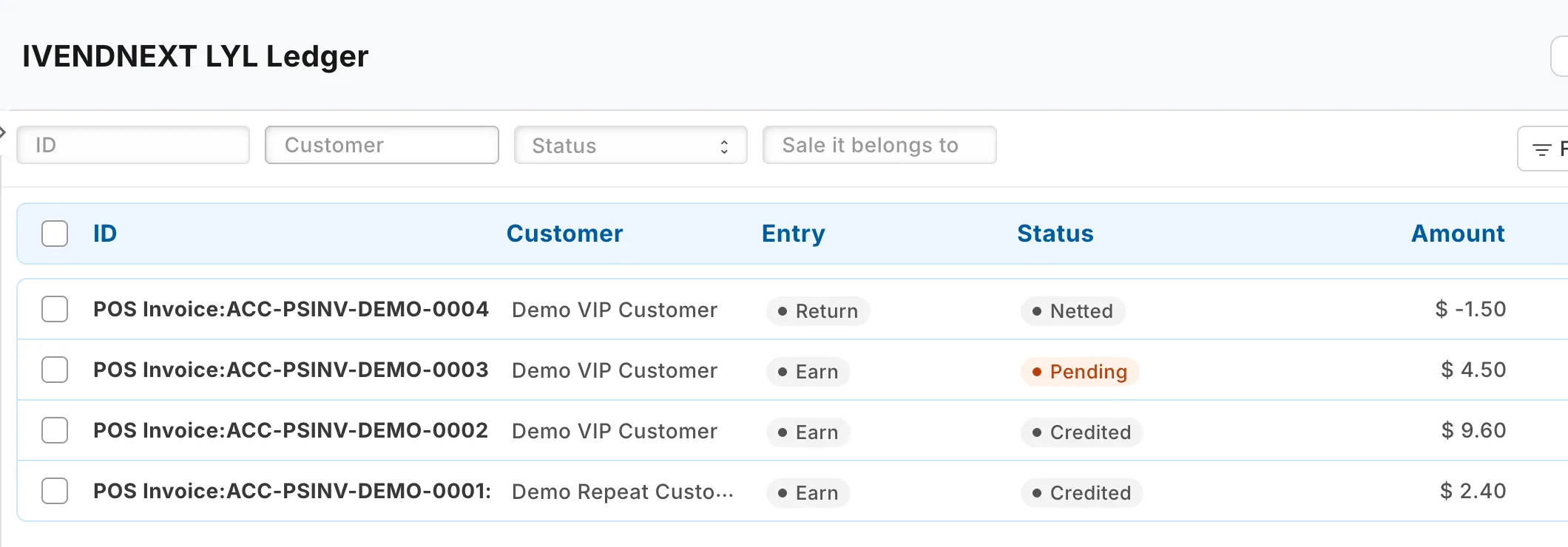
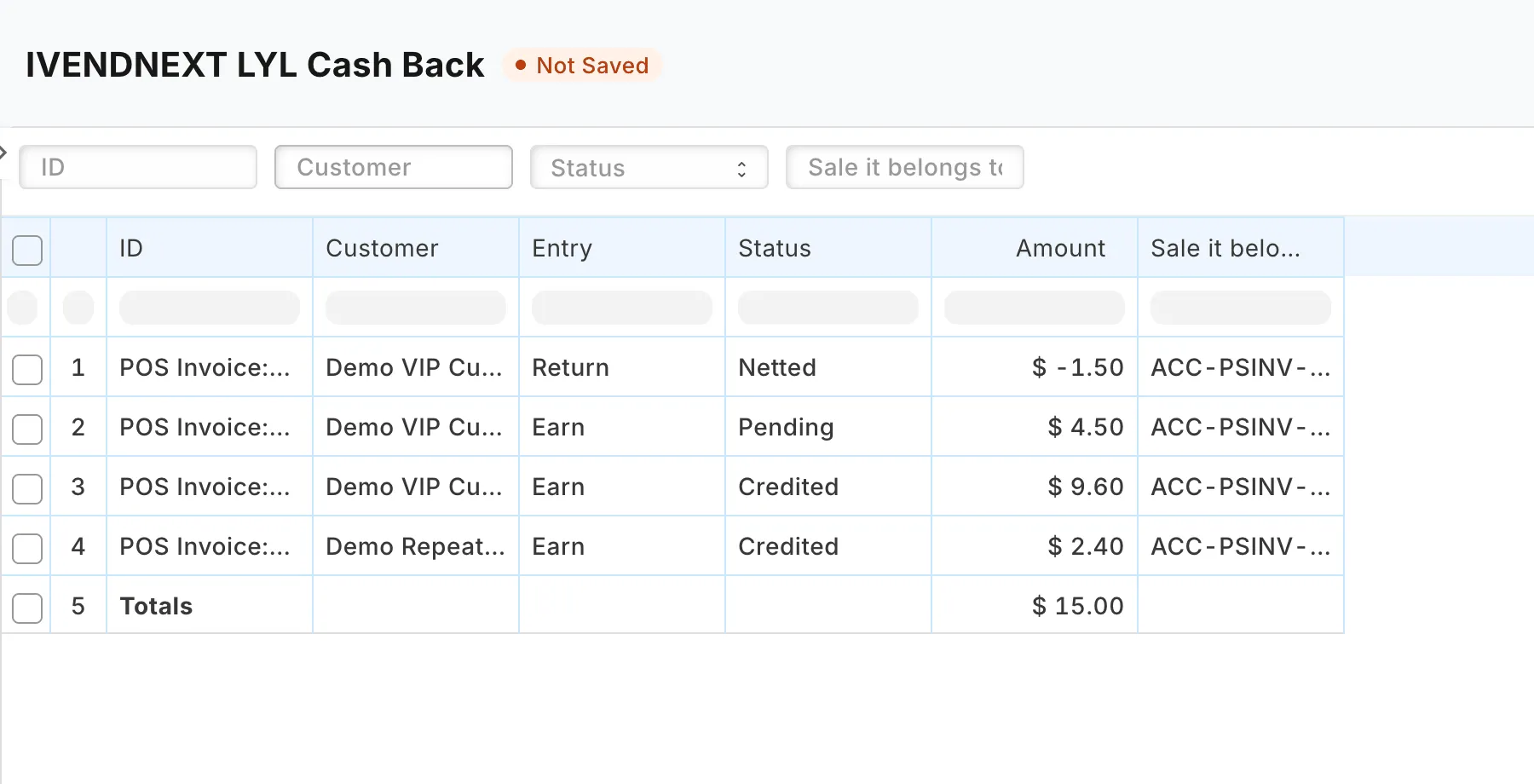
Search Desk for IVENDNEXT LYL Ledger. Each row is one entry of cash back: Earn for a sale, Return for a return and Cancel for a canceled sale. Its status is Pending, Credited, Netted (a return taken from cash back that was still pending) or Cancelled (a sale that earned nothing). Every row has its own key, so the same sale never earns twice.
Daily balances
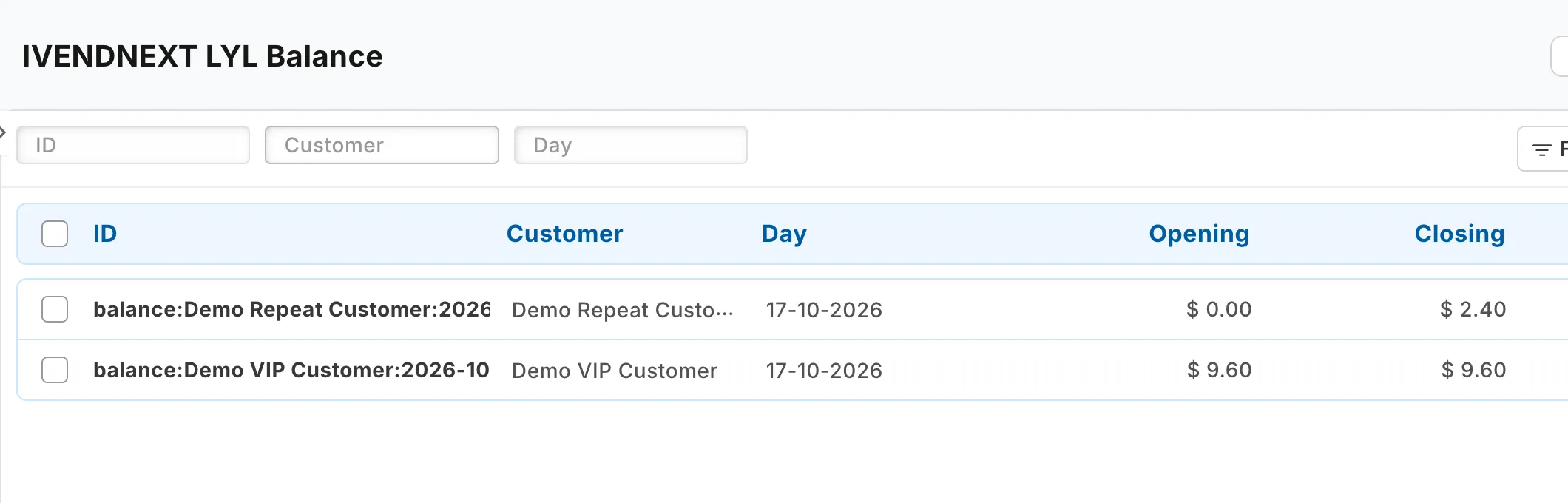
Search Desk for IVENDNEXT LYL Balance. Once a day, the app writes one row per active member for the day that ended: the opening, the change in the day and the closing. The closing is the member's credited cash back.
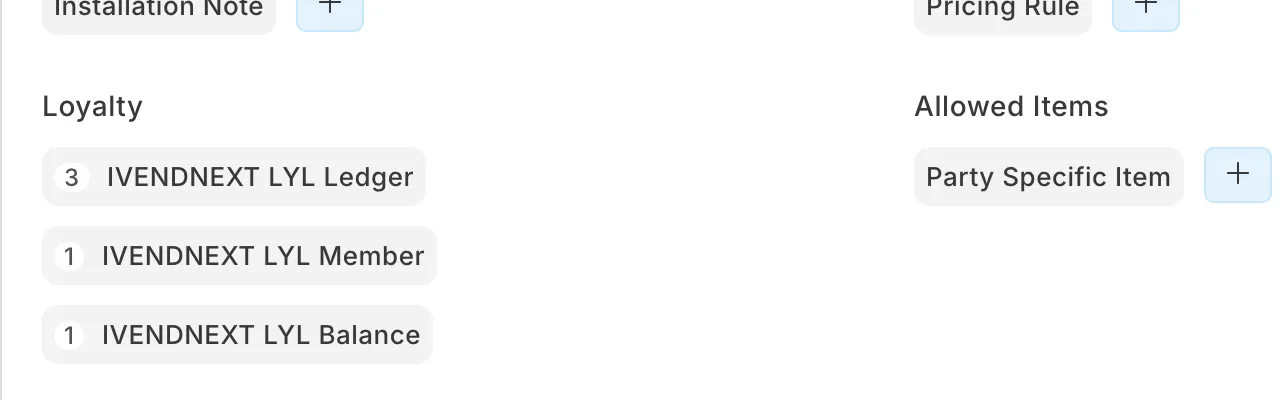
On a customer, the Loyalty links show the customer's member record, ledger rows and daily balances.
The cash-back report
Search Desk for IVENDNEXT LYL Cash Back. The report lists the ledger, newest first, with a total row. People with the Sales Manager role can open it.
At the till
The cashier adds the customer to the sale and presses Member. The till shows the customer's plan and discount, their credited cash back and any pending cash back, and how much more spend reaches the next plan. For a walk-in customer, or a sale with no customer, it says so.
Limits
- Setting a customer's group to their plan's group replaces the group they had, also a group set by hand. Any price list, payment terms or credit limit that the old group gave them goes with it.
- The app moves members and writes the daily balances once a day, soon after 02:00 UTC. If your site cannot be reached then, that day's moves happen the next day.
- A sale made offline earns when the till syncs.