
Electronics and phones on iVendNext
Electronics and phones · checked 2026-10-24
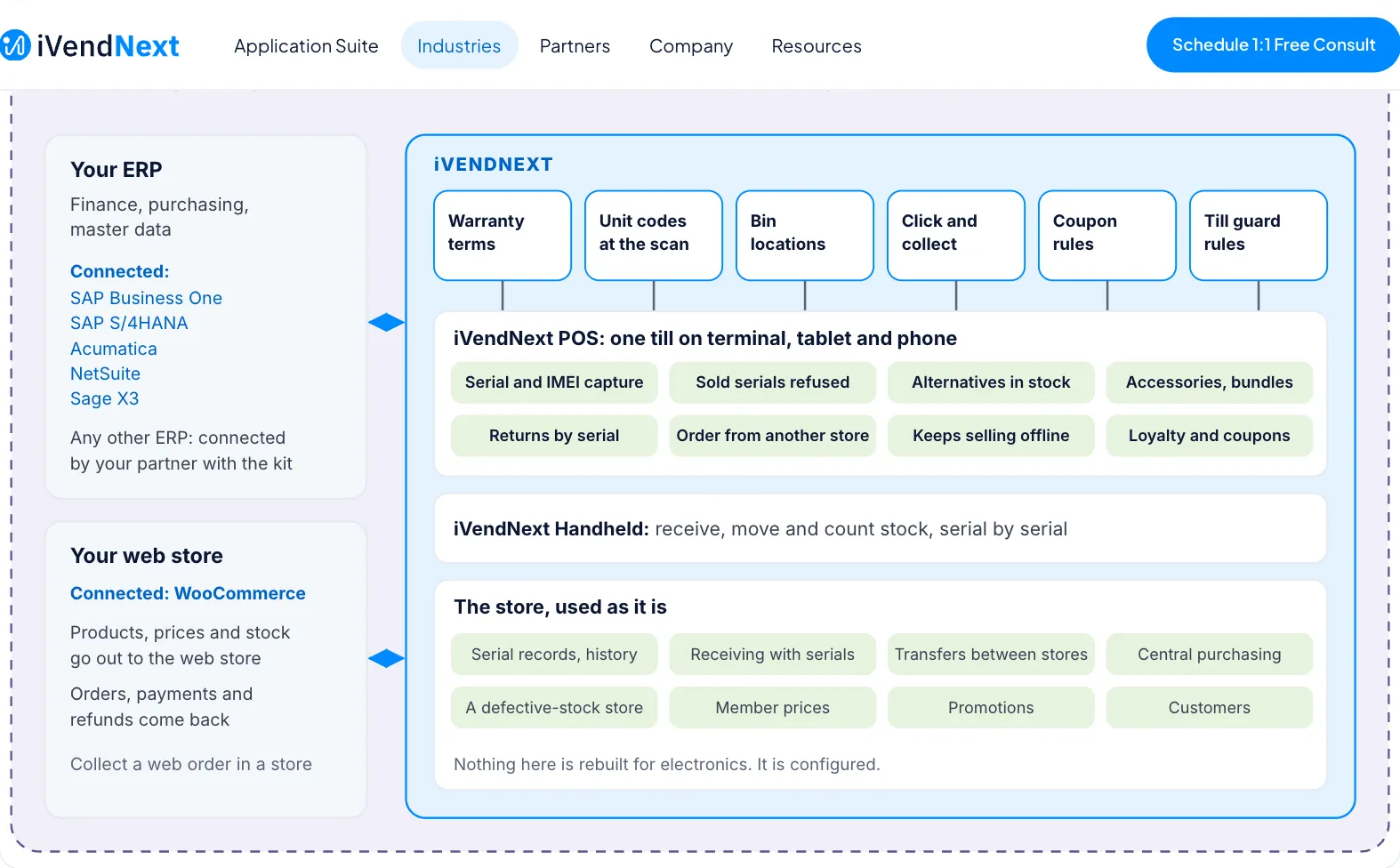
Electronics and phones on iVendNext is for an electronics or appliance retailer: kitchen and cooling, home appliances, gaming and gadgets, or mobiles and computing. It runs on the iVendNext POS, the same till every store uses. Each device is tracked by its serial or IMEI, with its warranty term, its alternatives and its accessories. Your own ERP keeps the books beside iVendNext. This section lists the apps for the industry, links each app's guide, and shows how a store is set up.
Apps an electronics store turns on
| App | What it does | Get it | Page |
|---|---|---|---|
| Warranty terms | Keeps each item's warranty term in months, for a till key or a service you connect. | Free | Guide |
| Unit codes at the scan | Sells a unit by scanning its own code, with its batch, and refuses a unit marked Sold. | Free | Guide |
| Bin locations | Keeps locations, aisles and bins inside a store, and shows the cashier or the floor staff which bin an item is in. | Free | Guide |
| Click and collect | Lists the web orders a store must pick, and records who collected each one. | Free | Guide |
Library apps an electronics store often adds
| App | What it does | Get it | Page |
|---|---|---|---|
| Till guard rules | Checks at the till: no line at a placeholder price, a most per line, a manager for a large sale, and a question when a flagged item is scanned. | Free | Guide |
| Coupon rules | Rules for your own coupons, such as a first purchase only or one customer group only, checked when the cashier presses Pay. | Free | Guide |
| iVendNext Loyalty | Customers earn points on what they buy and spend them at the till, and the cashier sees each balance during the sale. | Needs a key | Guide |
The till and the handheld
| App | What it does | Get it | Page |
|---|---|---|---|
| iVendNext POS | The till for your stores, in the browser on a phone, a tablet or the counter. | Needs a key | Guide |
| iVendNext Handheld | Stock work by barcode on a rugged handheld or a phone: receive goods, move stock between stores, count and look up items. | Needs a key | App library card |
Your ERP and your web shop
| App | What it does | Get it | Page |
|---|---|---|---|
| SAP Business One | Keeps iVendNext and SAP Business One in step: master data comes across, and your stores' sales, returns and transfers post back. | Needs a key | App library card |
| Acumatica | Acumatica stays your system of record. Items, prices and customers come from it, and your stores' sales, returns and payments go back to it. | Needs a key | Guide |
| WooCommerce | Links your web shop: products, prices and stock go to the shop, and paid web orders, payments and refunds come back. | Needs a key | Guide |
Each app has its own card in the App library. Apps marked Free you install yourself. Apps marked Needs a key come with a key from iVendNext, which your partner adds. Apps marked Through your partner are installed and hosted for you by your partner. Your iVendNext partner can set up and host any of them and extend the free ones, or your own team can.
Being built
These parts are being built and have no guide yet: units that carry both a serial and a lot; and M-Pesa and Paystack payments.
Where to start
Open Setting up an electronics store. It follows the order a store is set up in, from the first check of your needs to going live.